Business Website Development in Nagpur | Hesten Solutions
30 Oct, 2026
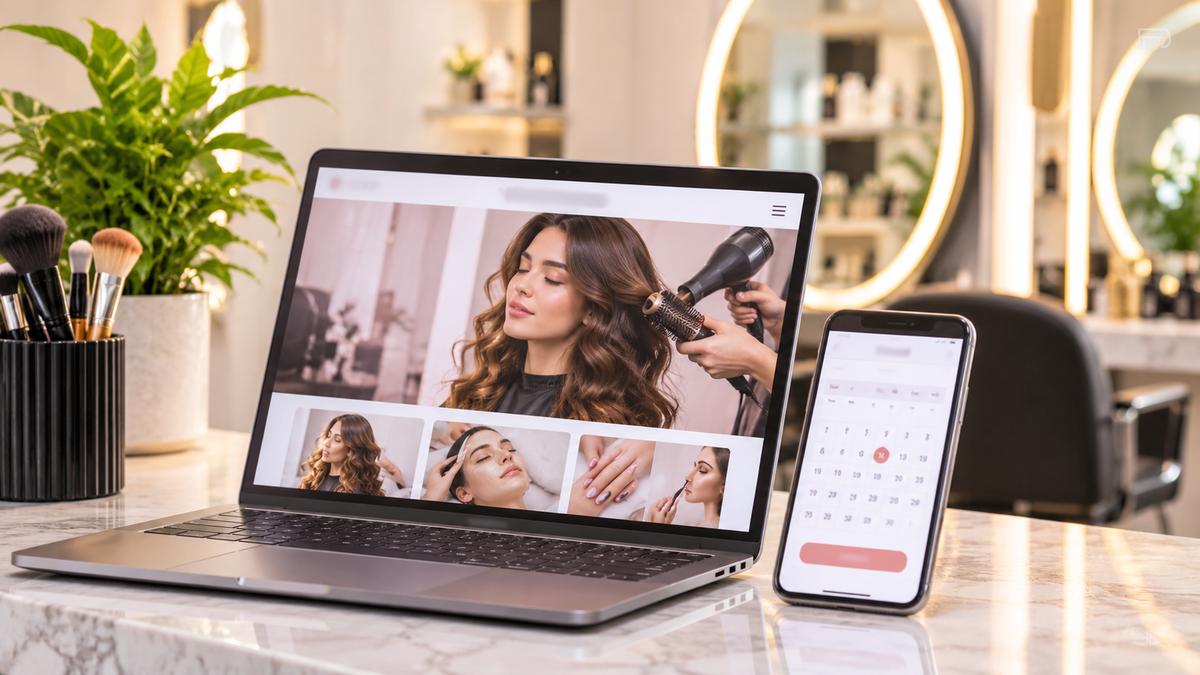
Running a salon involves more than providing excellent beauty and hair services. Salon owners in Nagpur also need to manage appointments, respond to customer enquiries, promote their services and maintain relationships with existing clients.
However, when customers have to call during business hours just to check availability or book an appointment, some may simply move on to another salon.
This is where a professionally designed salon website can make a difference.
Imagine a customer searching for a haircut, hair colouring, skincare treatment or bridal makeup service. They visit your website, explore your services, check available appointment slots and book a convenient time without waiting for a response.
That's the experience a well-designed salon website should provide.
In 2026, Nagpurs salon businesses can use professional website design and online appointment booking functionality to improve customer convenience, strengthen their online presence and create more opportunities for business growth.
Let's explore how to design a salon website that does more than showcase beautiful pictures – it actually helps customers book appointments.
Social media platforms are useful for showcasing hairstyles, transformations, beauty treatments and customer experiences. However, relying entirely on social media can make appointment management and customer communication difficult.
A dedicated salon website gives your business a central online destination where customers can discover your services and take action.
Here are some important benefits.
Customers don't always search for salon services during working hours. Some may want to schedule an appointment late at night or early in the morning.
An online booking system allows customers to check available slots and submit appointment requests whenever it is convenient for them.
Depending on the booking system, appointments can be confirmed automatically or after salon staff approval.
A professional website gives you enough space to present your complete service range.
You can create dedicated sections for:
Haircuts and hairstyling
Hair colouring and treatments
Facials and skincare
Manicure and pedicure
Bridal makeup
Spa and beauty treatments
Special packages and memberships
Displaying service descriptions, prices where appropriate and estimated appointment durations helps customers make informed decisions.
Before booking an appointment, customers often want to know what your salon looks like, what services you offer and what kind of experience they can expect.
Include professional salon photographs, stylist profiles, genuine customer reviews, hygiene information and clear contact details.
These elements help visitors understand your business and feel more confident about contacting you.
Managing every booking through phone calls and social media messages can become time-consuming.
A suitable online booking system can organise appointment requests, display available slots and send booking notifications.
This can reduce repetitive communication and help your staff focus more on customer service.
A salon website should combine attractive visuals with practical functionality. Here are eight features worth considering during development.
Your homepage creates the first impression.
Use professional salon photography, an attractive layout and a clear headline that communicates what makes your salon special.
For example:
"Your Beauty, Your Style. Book Your Next Salon Experience Online."
Include prominent buttons such as:
Book an Appointment
Explore Our Services
Meet Our Stylists
Keep the booking option visible so customers can easily find it without scrolling through the entire website.
This is one of the most important features of a salon booking website.
Customers should be able to select their preferred service, stylist and appointment date, depending on your salon's booking process.
A well-planned booking journey can include:
Select a salon service.
Choose a preferred stylist, if applicable.
Select an available date.
View available time slots.
Enter contact details.
Confirm the booking or submit an appointment request.
The system should prevent conflicting appointments and reflect the salon's actual working hours and availability.
For salons with multiple employees, booking rules should also consider stylist schedules and service duration.
Customers often compare salon services before making a booking.
Create an organised service menu that clearly displays:
Service name
Short description
Price or starting price
Estimated duration
Relevant images
For example, a hair treatment page can explain the treatment process, its intended benefits and how long the appointment usually takes.
Clear information helps attract customers who are genuinely interested in your services.
Many potential customers discover salons through Google searches and social media on their smartphones.
If your website is difficult to navigate on mobile, visitors may leave before completing a booking.
A responsive salon website should have:
Mobile-friendly navigation
Readable service descriptions
Optimised images
Easy-to-use appointment forms
Clearly visible contact buttons
Fast-loading pages
The complete booking process should work smoothly across smartphones, tablets and desktop devices.
Customers sometimes prefer booking with a particular hairstylist, makeup artist or beauty professional.
A dedicated team section can introduce your staff and highlight their experience, specialisations and services.
Where the booking system supports it, visitors can select their preferred professional while choosing an appointment slot.
This also gives customers a more personal connection with your salon.
Visual presentation plays an important role in the beauty industry.
Add a gallery featuring genuine salon interiors, hairstyles, makeup work and completed treatments, with appropriate customer permission.
You can also display genuine customer testimonials to communicate service quality and customer experiences.
Avoid using misleading images or fabricated reviews. Authentic content helps build stronger trust.
Not every visitor will be ready to book immediately.
Some customers may want to ask about service availability, pricing, bridal packages or special requirements.
Integrating WhatsApp, click-to-call functionality and a contact form gives visitors additional ways to reach your salon.
Keep these options easy to find without making the website visually cluttered.
A good appointment system should help both customers and salon staff stay informed.
Depending on the selected integration, useful features may include:
Booking confirmation emails
Appointment reminders
Rescheduling and cancellation options
Staff booking notifications
Online deposits or advance payments
Customer booking history
For salons offering premium services or longer appointments, advance payments can also help manage booking commitments.
Choose functionality based on your salon's actual requirements rather than adding unnecessary features.
A well-structured website makes it easier for customers to explore your business.
Consider including these pages:
Home: Introduce your salon, highlight popular services and provide direct booking options.
About Us: Share your salon's story, experience, approach and team.
Services: Present individual treatments, descriptions, pricing and durations.
Book Appointment: Allow customers to select services and available time slots.
Our Team: Introduce stylists and beauty professionals.
Gallery: Display salon interiors, hairstyles, makeup and other genuine work samples.
Contact Us: Include phone number, address, business hours, map and enquiry options.
Blog: Publish useful beauty, haircare and skincare content to support organic search visibility.
For salons operating in multiple locations, separate location pages can also help customers find the right branch.
The cost of developing a salon website depends on the design, functionality and booking requirements.
A basic informational website will generally require less development work than a customised website with stylist selection, real-time appointment availability, automated notifications and online payments.
The following factors influence the project budget:
Design complexity: Custom layouts, animations and branding requirements.
Number of pages: Individual service pages, team profiles, galleries and location pages.
Booking functionality: Service selection, calendar integration, stylist schedules and booking management.
Payment integration: Online deposits, advance payments and payment gateway setup.
Third-party integrations: WhatsApp, email notifications, CRM and other business tools.
Maintenance: Hosting, security updates, backups and ongoing technical support.
Before requesting a quotation, decide whether you need a simple booking enquiry form or a complete automated appointment management system.
This distinction helps developers recommend the right solution and provide a more accurate project estimate.
Having a beautiful website is important, but potential customers also need to discover it.
Search engine optimisation (SEO) should be considered during the website planning and development process.
Here are some important practices:
1. Target Relevant Keywords
Use relevant search terms naturally throughout your website, such as:
Salon website design
Beauty salon website development
Hair salon website design
Online salon appointment booking
Salon website design with booking system
Choose keywords based on your target market and actual customer search behaviour.
2. Create Dedicated Service Pages
Instead of describing every treatment on one page, create separate pages for important services where useful.
This gives search engines and visitors clearer information about each service.
3. Optimise for Local Searches
If your salon serves a specific city or neighbourhood, include accurate location information, contact details and service-area content.
Maintain your Google Business Profile and encourage genuine customer reviews.
4. Improve Website Speed
Optimise salon photographs, reduce unnecessary scripts and use suitable hosting.
A fast and responsive website improves the browsing experience.
5. Publish Helpful Beauty Content
Create articles addressing customer questions, such as haircare routines, bridal makeup preparation, skincare treatments and salon service comparisons.
Link relevant articles to your service and appointment pages.
Remember, SEO takes time. Rankings depend on competition, relevance, website quality and other factors. No website design company can guarantee a specific Google ranking.
Choosing a development partner is an important decision because your website should support your salon's actual business operations.
Before finalising a company, consider:
Portfolio: Review previous website projects and design quality.
Booking expertise: Ask whether the team can implement appointment scheduling and availability management.
Mobile experience: Check whether the complete website and booking journey work on smartphones.
SEO foundations: Confirm that technical SEO and search-friendly page structures are considered.
Scalability: Ensure the website can accommodate additional services, staff members or salon branches.
Post-launch support: Understand the maintenance process and support arrangements.
A development partner should understand that your objective is not simply to launch a website. You want a digital platform that helps customers discover your salon and book services conveniently.
Your salon deserves more than a website that simply looks attractive.
It needs a professional online experience that showcases your services, builds customer confidence and makes appointment booking convenient.
At Hesten Solutions, we help businesses explore professional website design and development solutions based on their goals and requirements.
Whether you are launching a new beauty salon, upgrading an existing website or planning an online appointment booking system, the right website structure can make a difference to your customer journey.
We can help you plan a website with:
Professional and responsive website design
Dedicated salon service pages
Online appointment booking functionality
WhatsApp and contact integration
SEO-friendly website structure
Custom functionality based on business requirements
Planning to launch or upgrade your salon website?
Let's discuss your requirements.
Visit https://hestensolutions.com/ and connect with Hesten Solutions to discuss your salon website design and development project.
Build a website that helps customers discover your services, explore your offerings and take the next step towards booking an appointment.
A salon appointment booking website allows customers to explore salon services, select available appointment slots and book or request appointments online. Depending on the system, it may also support stylist selection, notifications and advance payments.
A professional salon website should include responsive design, service listings, pricing information, online appointment booking, stylist profiles, customer reviews, a gallery, contact details and SEO-friendly page structures.
Yes. With an integrated online booking system, customers can select services and available time slots and submit or confirm their appointments without making a phone call.
Yes. WhatsApp integration can allow customers to ask questions, enquire about services and communicate with salon staff. It can complement the online booking system.
Yes. SEO helps potential customers discover your salon through relevant Google searches. Local SEO, optimised service pages, useful content, mobile responsiveness and website performance can all contribute to search visibility.
Yes. A scalable website and suitable booking system can be configured to support additional services, staff members, appointment schedules and locations as your salon grows.
The timeline depends on the number of pages, design requirements, booking features, integrations and content readiness. A basic salon website generally takes less time than a customised platform with advanced scheduling and payment functionality.